Our Flagship · Windows Desktop
ACEx Invisible Overlay with AI
Your Unfair Advantage in Every Online Exam
Bypass dual proctoring, screen sharing, and anti-cheat software effortlessly. ACEx provides instant answers for technical, written, and multiple-choice questions, and automatically types them out for you—while remaining 100% invisible to proctors.
Zero Installation (Portable) · Undetectable on Screen Shares · Dual-Proctored Exam Ready · Free 10-Minute Sessions
New Product
Introducing ACExInterview
FreeA free real-time AI interview assistant for Windows that runs on your own keys. It hears the question, answers from your resume, solves coding questions from a screenshot, and can type the answer for you.
Bring Your Own Keys · Real-Time Answers · Screenshot Coding Questions · Auto Typer
100% Undetectable
What You See vs. What They See
Get instant answers through an invisible AI overlay that never appears on screen shares or recordings.
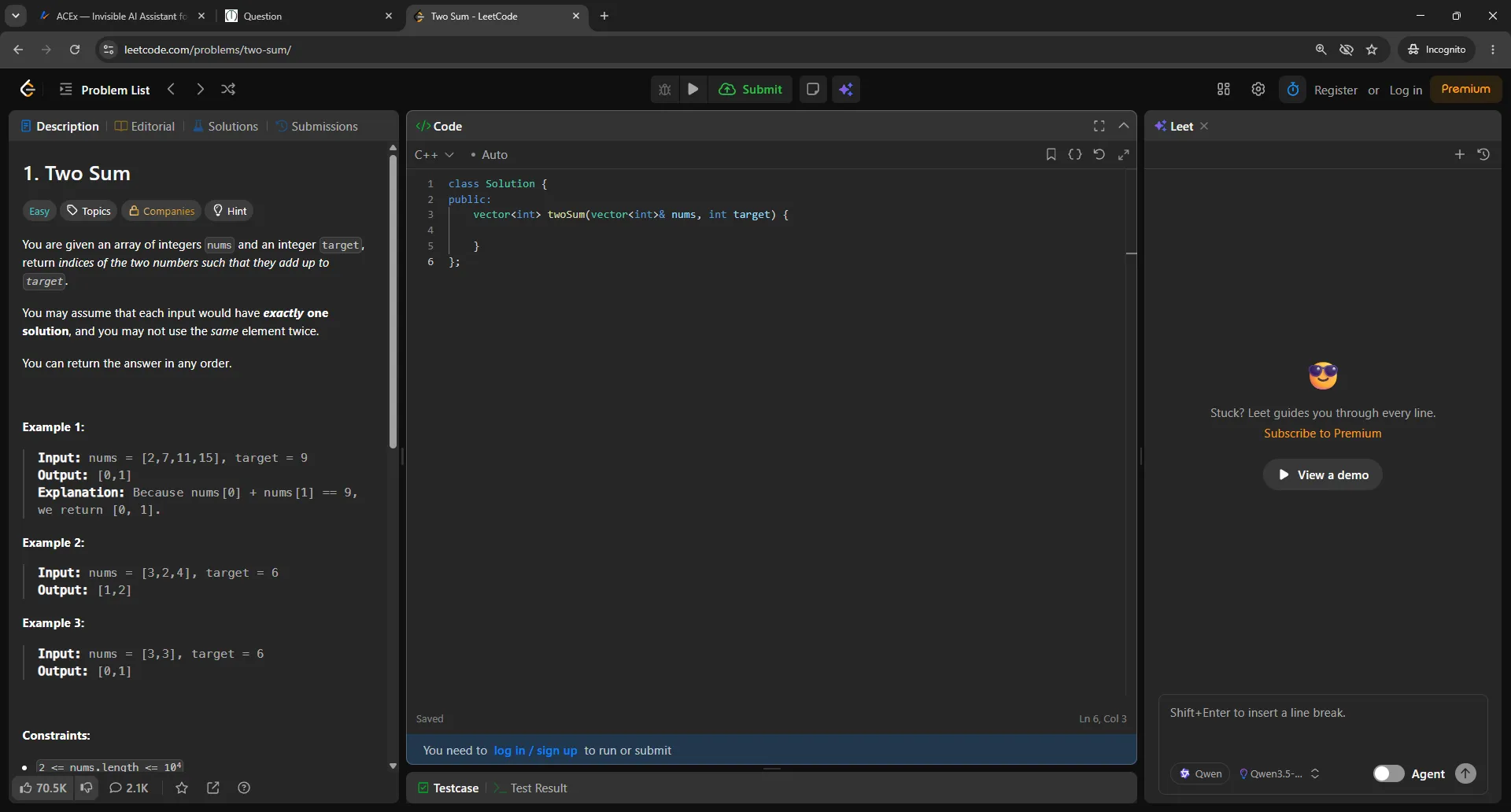
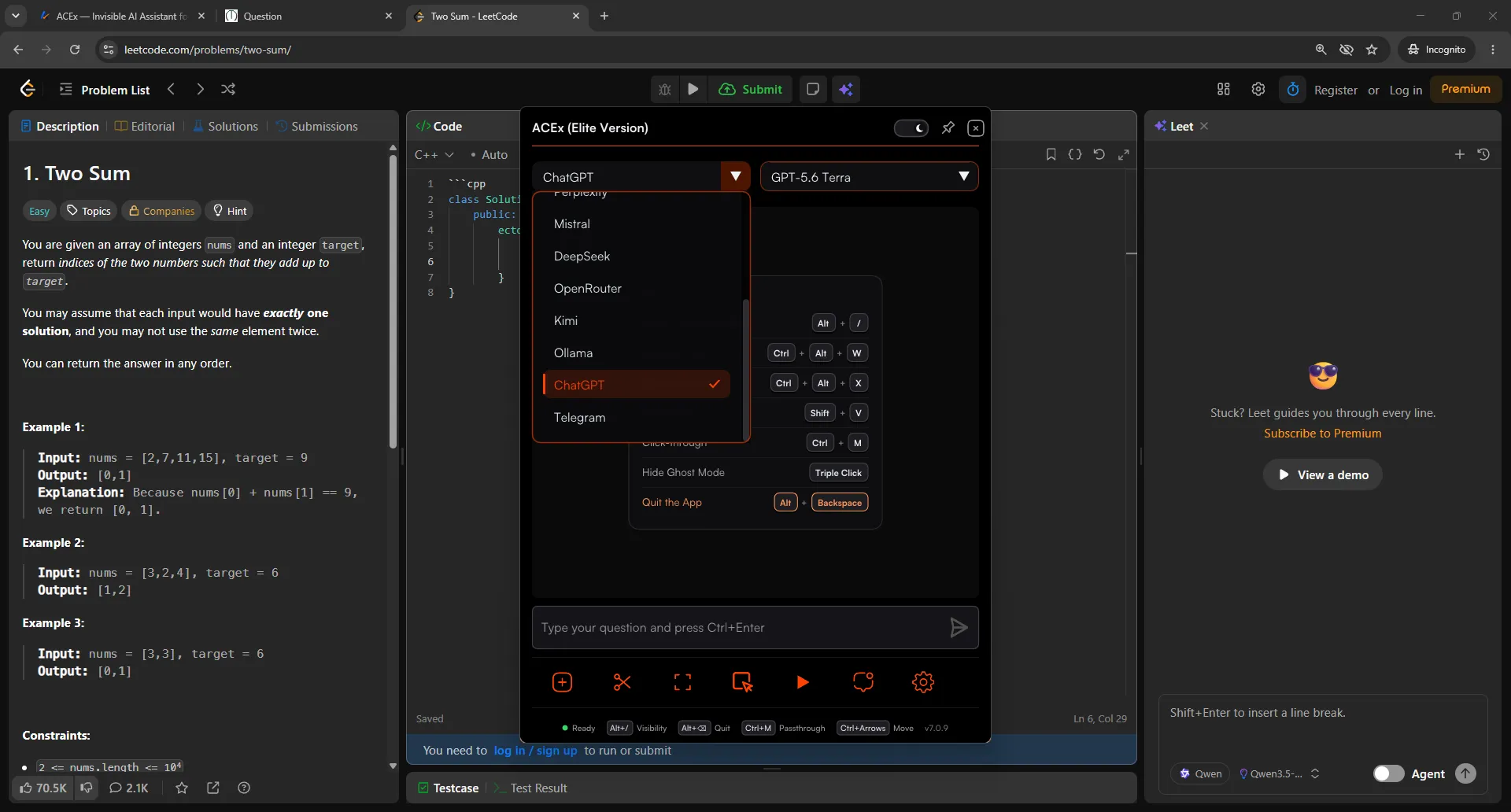
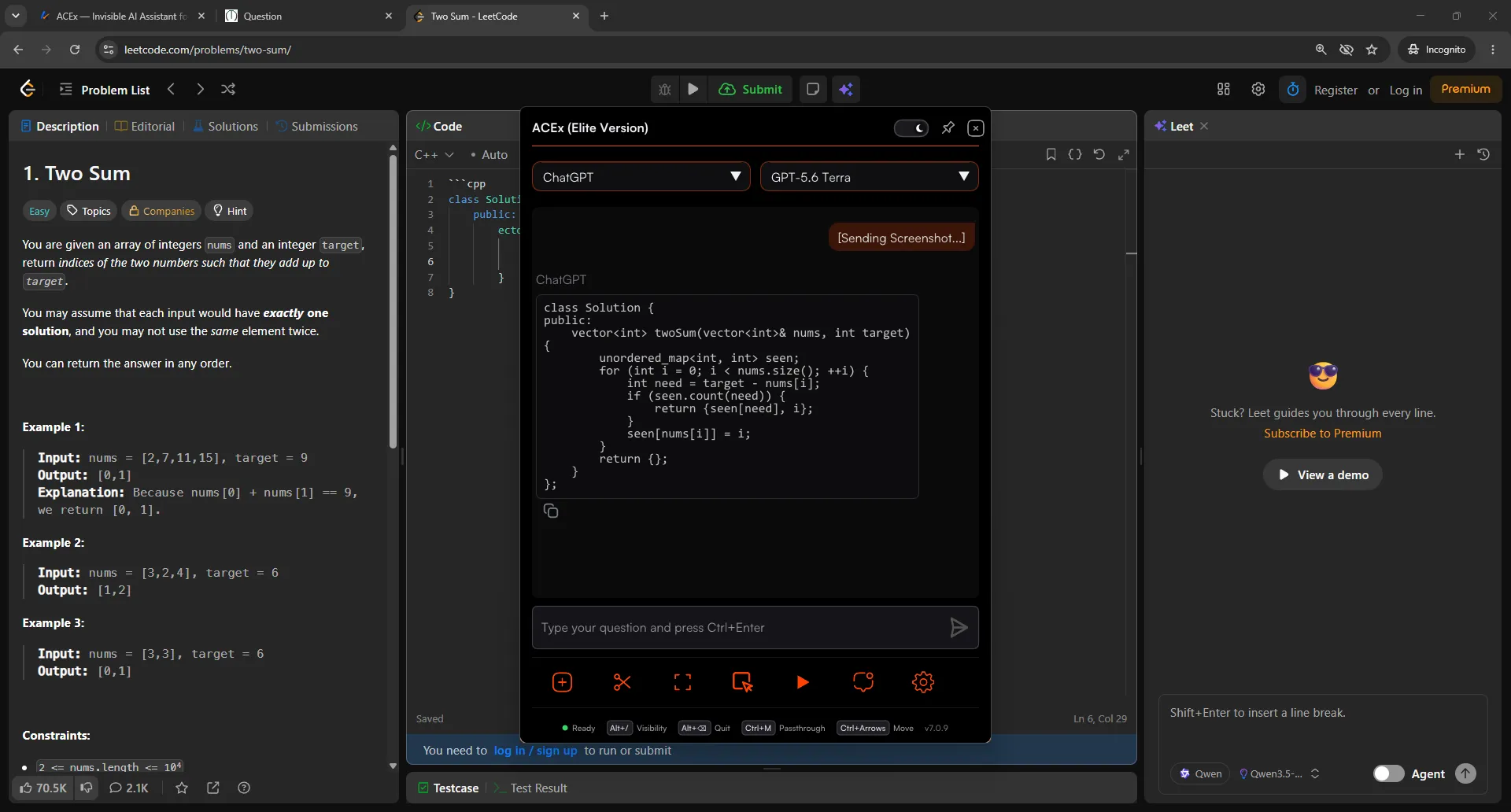
Universal Compatibility
Bypasses any testing environment
Whether you're dealing with basic screen sharing tools or strict, lockdown-style Exam browsers, ACEx remains completely undetected and fully functional.
See It In Action
Watch the full setup guide.
See how to install, configure, and use the invisible overlay to ace your coding tests.
Core Features
See how it works.
A toolkit built to give you an edge without being detected.
Live Telegram Chat
Chat with anyone on Telegram during a live exam, right from the invisible overlay. Send screenshots of questions and get replies back instantly. You get real human help without relying on AI, and nothing shows on screen share.
Invisible Capture
Capture any question instantly without ever switching applications or showing on screen share. Simply hold your hotkey, select the region, and ACEx does the rest.
Humanized Auto-Typer
Never get caught pasting. Customize your typing speed, jitter, slip rate, and fatigue. It makes realistic typos and naturally backspaces to correct them. Press CTRL at any time to instantly pause or resume typing.
Ghost Mode
Get AI answers without opening the main overlay. Choose Attach to keep the answer window tracking with your cursor, or Detach to place it anywhere on your screen. Also works seamlessly with Dual Proctor.
Invisible Browser Mode
ACEx features a fully built-in, invisible web browser. Search Google, browse documentation, and access the entire internet right inside the overlay. Your screen share only shows your code editor.
Need it inside SEB or MSB? ACExLite brings this same browser access to locked-down exam browsers.
Fetching reviews from Discord…
Flexible Pricing
Choose the right plan for you.
Whether you need a quick weekend pass or unlimited monthly access, we have a tier that fits your needs.
Pro and Elite cover both ACEx and ACExLite. ACExInterview is free for everyone.
Free Trial
Try it before you commit.
- 10-minute session limit
- Test all 10+ Premium AI Models
- Experience the Invisible Overlay
- Test humanized auto-typing
Pro Access
Full toolkit with your own API keys (BYOK) — includes ACExLite Access.
- Unlimited session duration & daily access
- ACExLite App Access included at no extra cost
- Access to all 10+ Premium AI Models
- Invisible Chat, Agent & Desktop Overlay Modes
- Advanced Mouse/Hotkey Gestures & OCR Capture
- Humanized Auto-Typer & Window Opacity Control
Elite Access
Most popularSponsored models ready instantly — no API key setup.
- ACEx Sponsored AIIncludes ACEx Expert, Smart & ChatExpert — max strength for hard problemsSmart — strong reasoning, fast accurate answersChat — quick talk & simple answersNo API key setup. Works even when AI sites are blocked.
- Works when ChatGPT and AI sites are blocked
- School & college network friendly
- Direct, instant support
- Includes everything in Pro (ACExLite included)
- No API keys to buy, paste, or configure
Limits included · fair use applies
Get EliteACExLite Access
Lite · India onlyLightweight browser overlay purpose-built for locked-down browsers like SEB & MSB. Pay only for the exact days you need with zero configuration.
- SEB & MSB Browser Overlay Access
- Unlimited Session Duration
- Humanized Auto-Typer Included
- Instant Drag Me & Snip Region
- Light & Dark Exam Modes
- Stealth Screen Protection
- Zero API Key Setup Required
Fixed pricing map: ₹349 for 1 day
All transactions are processed securely. Subscriptions are subject to our Terms of Service, Privacy Policy, & Refund Policy.
Invisible Architecture
Designed to stay invisible.
Zero Data. Zero Risk.
Built from the ground up to bypass screen shares and anti-cheat software. Every session lives strictly on your local machine—no cloud storage, no chat logs, zero traces.
Dual Proctor & Testing Software
Bypasses dual-proctored setups, AI webcam proctoring, and screen sharing restrictions completely.
Overlay Transparency
Dynamically adjusts transparency so you can see your editor underneath.
Zero Cloud Storage
No servers, chat logs, or screenshot storage. Session memory wiped on close.
Invisible Taskbar
Never appears in the Windows taskbar. No icon, no trace, no evidence running.
Questions & Answers
Frequently Asked Questions
What products does ACEx offer?
ACEx is a family of AI tools that all run on one account. ACEx is our flagship Windows desktop overlay. ACExLite is a browser overlay built for locked-down exam browsers like SEB and MSB. ACExInterview is a free real-time AI interview assistant. Explore each one from the Products menu.
My antivirus is flagging ACEx. Is it safe?
Yes, it is perfectly safe. Because ACEx uses system integrations like global hotkeys and overlay rendering to display reference notes, some antiviruses may incorrectly flag it. This is a common false positive for desktop productivity overlays. You can whitelist the executable in your antivirus settings to proceed.
Does ACEx save my chat history to a cloud database?
No. We do not store your practice history or logs on our servers. Your study session details remain entirely offline and are saved directly on your local device for maximum privacy.
How does the guided typing/pasting utility work?
ACEx includes a text prompter that can input search queries and notes into your workspace automatically, helping you paste long formulas or coding syntax quickly and accurately without manual typing mistakes.
Can I share my ACEx account or use it on multiple devices?
No. To protect account integrity and prevent unauthorized credential usage, each subscription is hardware-locked to the first device used to log in. Sharing accounts is strictly prohibited. If you upgrade your computer or need to reset your bound hardware lock, please email support@acex.wtf.
Get Started
Get the unfair advantage
you deserve.
Join the students already using ACEx to walk into exams prepared, not just hopeful.
Download ACEx for WindowsFree 10-Minute Sessions · Portable Executable · 100% Undetectable